Collaboration

Seamless Video Editing Collaboration
Hiero's powerful versioning functionality allows you to bring new versions of shots into the timeline and swap between them quickly and easily. This capability makes comparing and reviewing work at different stages, and work done by different artists, simple. Source clip versions can be linked between a project bin item and its corresponding track items. Changing the version of a clip on the project bin, or on a sequence, will change all other instances of the same clip that exist in the same sequence and streamlines this process.

Annotations
Annotations allow for clear, effective feedback on shots, adding comp notes and communicating your ideas visually. Draw or write directly in the Hiero viewer on a shot-by-shot basis, then easily share comments with other team members using Nuke or HieroPlayer. Artists can also create and edit annotations live during a Sync Review session.
2D format support
Hiero supports a wide range of 2D formats for both reading and writing. 2D includes: DPX, EXR, JPEG, MXF, Quicktime and RAW camera formats (RED raw, ARRI raw, Sony Raw and more).
Native Flipbook
Enjoy real-time playback in Nuke and NukeX's native Flipbook panel, and the Nuke Studio timeline. Playback features include audio support, numerous view options, blending modes, color sample tools, split wipe tool, gamma and gain sliders, and more.
Nuke Assist
Current maintenance gives you access to two Nuke Assist licenses with a core set of nodes for performing everyday tasks like paint, roto, 2D and planar tracking. It lets you share essential tasks and scale according to workload. See the Nuke FAQ for more details.
Export structure
Hiero’s powerful export structure provides an organized foundation for both individual and collaborative work. Acting as a simple shot-management tool, the structure automates the creation of shared directories and naming conventions to make sharing shots with other artists and managing multiple deliveries fast and simple.
Versioning
Hiero's powerful versioning functionality allows you to bring new versions of shots into the timeline and swap between them quickly and easily. This capability makes comparing and reviewing work at different stages, and work done by different artists, simple.
Review and playback
Enjoy real-time playback in Hiero and HieroPlayer's timeline. Playback features include audio support, numerous view options, blending modes, color sample tools, split wipe tool, gamma and gain sliders, and more.
Sync Review
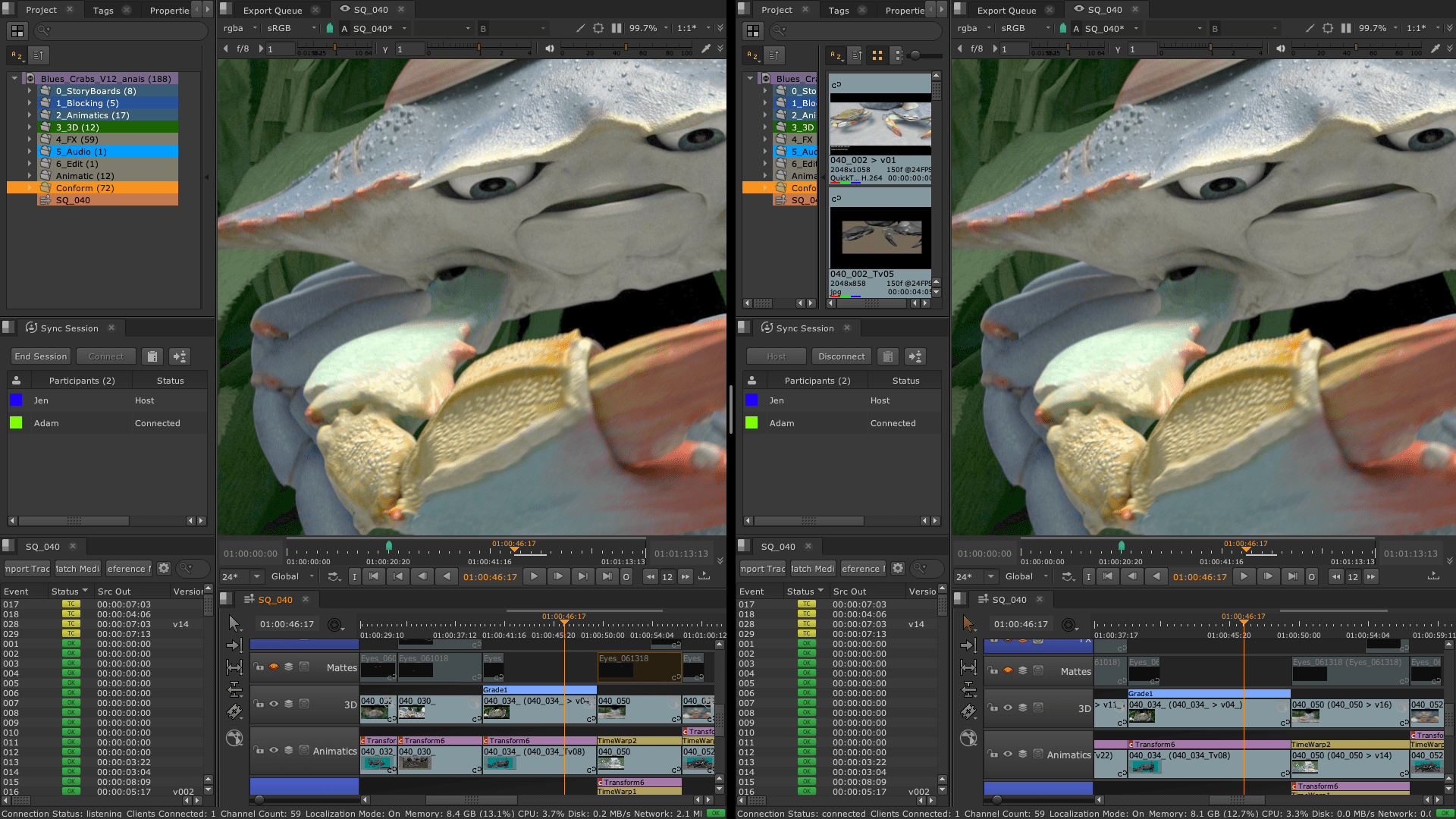
Sync Review offers a new way to collaborate effectively, allowing teams to review together or remotely. Teams can connect unlimited sessions of Nuke Studio, Hiero or HieroPlayer, collaborate and review projects in context, and sync all the actions needed in a review session, from playback and annotations to editorial changes.
Annotations
Visually add notes and provide feedback on shots through Annotations. Draw or write directly in the Hiero viewer on a shot-by-shot basis and then share those comments via a Nuke script or HieroPlayer file with the artist working on the shot.
Editorial

Multi-track editorial timeline
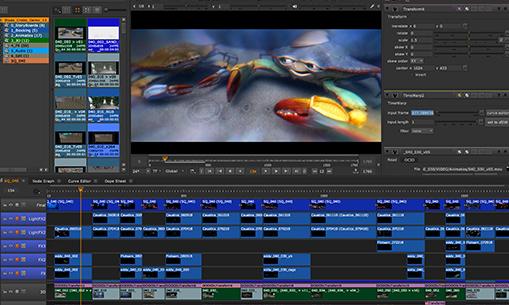
Hiero and HieroPlayer come complete with a multi-track editorial timeline that lets you playback, review and edit multi-layered sequences of video, CG and audio tracks.

SDI broadcast monitor support
Hiero provides SDI broadcast monitor support on compatible AJA and Blackmagic SDI-out hardware. With this support, you can accurately check color space and aspect ratios on broadcast content during the review process.
SDI broadcast monitor support
Hiero provides SDI broadcast monitor support on compatible AJA and Blackmagic SDI-out hardware. With this support, you can accurately check color space and aspect ratios on broadcast content during the review process.
VR Headset Review
With support for popular VR headsets, you can preview your project in Nuke’s viewer while playing it back in Nuke or from Nuke Studio’s timeline, without the need to export to a separate review application. Includes support for the HTC Vive and Oculus Rift CV1 on Windows and the Oculus Rift DK2 across Windows, Mac and Linux operating systems.
Spreadsheet view
The sophisticated spreadsheet view in Hiero breaks down every timeline item's source and destination, both for visual feedback and modification. Items selected in the timeline link to selections in the spreadsheet and vice versa. Easily compare online edits against offline sources, and make adjustments to groups by timecode, affording precise control.
Tagging
Hiero's tagging system lets you tag shots and media to make them easier to organize and find. With the tagging abilities, you can add notes, create custom tags and store metadata on shots and clips in the timeline.
Comp containers
Easily create a Nuke comp script directly from the timeline which translates all transforms and soft effects into Nuke nodes. Comp containers in the timeline link to Nuke scripts for a particular clip, and you can toggle between versions of comp scripts to preview the work in the timeline.
Onlining and conform
Hiero conforms AAFs, EDLs and XMLs into a multi-resolution, multi-track timeline complete with audio. Soft effects in imported XML and AAF files —including nonlinear retiming, transforms and crops— are retained and automatically recreated in Nuke Studio, helping to take the pain out of the conform process.
In-timeline Soft Effects
Add powerful GPU-accelerated effects—including grading, keying, and transforms—right on Hiero's timeline, in real time. In-timeline Soft Effects let you quickly and easily set up shots, experiment with ideas and interactively refine your work. View any soft effects and overlays created in Hiero or Nuke Studio inside HieroPlayer.
Audio tools
Import .WAV or .AIFF files into your Hiero and HieroPlayer projects and play them back to ensure audio and video align, and give context to shot review and editorial work. In Hiero you can easily adjust using handles or apply cross-fades, fades-in and fades-out.
Multi-track editorial timeline
Hiero and HieroPlayer come complete with a multi-track editorial timeline that lets you playback, review and edit multi-layered sequences of video, CG and audio tracks.
Performance and pipeline

Python API and PySide
Available across the entire Nuke family, the Python API can be used for full pipeline integration and automating common tasks and procedures. PySide is also included to allow users to build custom user interfaces via Python and the Qt frameworks.

OpenColorIO color management
With OpenColorIO (OCIO), the open source color management solution from Sony Picture Imageworks, Hiero can setup a single profile to provide consistent colors across all compatible applications to simplifying the color management process.
Blink Script
Create your own CPU or GPU-enabled effects for use in Hiero or Nuke Studio's timeline using Blink Script. An API allows C++ plug-in developers to harness Foundry's Blink technology, giving the ability to create faster and more complex effects.
Blink GPU acceleration
The Blink framework delivers GPU acceleration inside Nuke, speeding up interactive processing when using tools like Motion Blur, Kronos, Denoise, OFlow, and ZDefocus. If the GPU is unavailable, Nuke will simply revert back to the CPU.
32-bit floating-point color channels
Powerful and highly scalable, Nuke's resolution-independent, multi-channel pipeline allows you to read and output at any image size and manage over 1,000 user-definable 32-bit floating-point color channels. Nuke's Multi-threaded, scanline-based rendering engine also enables faster, more accurate results with ultra high resolution footage.
Multi-channel workflow
A robust multi-channel workflow makes for more efficient compositing by allowing you to manage multi-pass renders in a single stream, separate individual passes for manipulation and work natively with high-dynamic-range imagery (HDRI).
Full HDR support
The Nuke range fully supports HDRI formats through a floating-point processing pipeline to ensure any edits or changes you make are done non-destructively, without compromising quality.
OpenColorIO color management
With OpenColorIO (OCIO), the open source color management solution from Sony Picture Imageworks, Hiero can setup a single profile to provide consistent colors across all compatible applications to simplifying the color management process.
Asset management integration
The entire Nuke family has the ability to connect to asset management software like ftrack, Shotgun or in-house systems, ensuring smoother collaboration and organization between artists in teams.
Script performance metrics
Cross-platform performance metrics in Nuke help you debug slow scripts and uncover any bottlenecks. Run Nuke from the command line to get the full performance profile for a render in XML format or use the Profile node in a script to capture performance data including CPU time, wall time, number of ops and memory usage.
Python API and PySide
Available across the entire Nuke family, the Python API can be used for full pipeline integration and automating common tasks and procedures. PySide is also included to allow users to build custom user interfaces via Python and the Qt frameworks.
Stereoscopic workflow
Nuke Studio natively supports any number of image streams, making it simple to work with multiple camera views. With an efficient stereoscopic workflow built into the base application, the package has everything you need to tackle native stereo postproduction.
What's New
Explore the latest product releases and more from Foundry.
Product releases
Insights





Experience Hiero
Optimise your review workflow with Hiero, the ultimate multi-shot management, conform, editorial and review tool.
Try Hiero as part of the wider Nuke family and seamlessly share your timelines for greater visibility and control.